
 Features
 Image AI
 Video AI
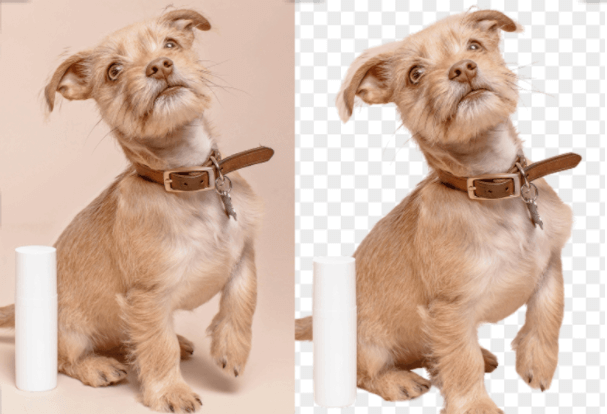
AI Background Remover – Fast, Accurate, and Easy
Tired of spending time manually cutting out backgrounds? Dreamyify’s AI Background Remover makes it effortless to remove photo backgrounds with precision. Using advanced automatic background removal technology, it accurately detects hair, edges, and fine details—delivering a clean, transparent PNG in seconds.
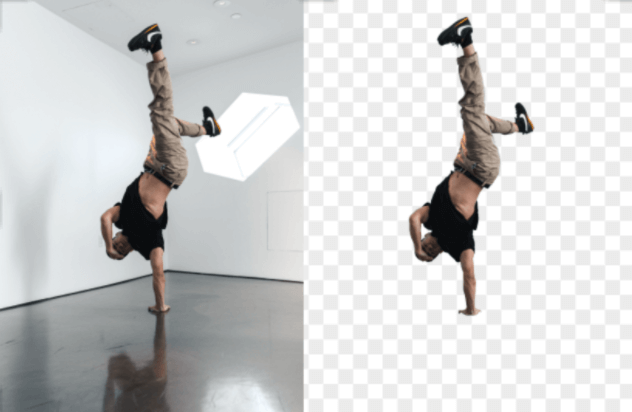
High-Quality & Fast Results with AI Background Remover
Experience professional-quality results with Dreamyify’s AI Image Background Remover. In just seconds, it precisely separates the subject from any background — even around hair or transparent objects — and delivers clean, high-resolution PNGs with transparent backgrounds. Enjoy flawless edges and instant processing for all your creative or commercial needs.
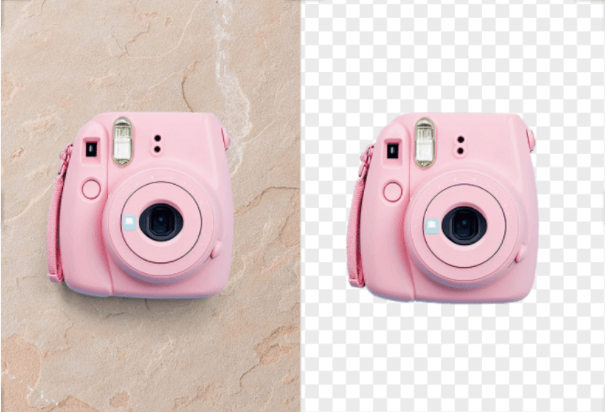
Popular Scenarios for AI Background Remover
Dreamyify’s AI Background Remover is perfect for anyone who wants clean, professional visuals in seconds. Whether you’re an online seller creating product photos, a content creator designing social media posts, or a job seeker polishing a resume portrait — the AI remove background tool helps you instantly clear clutter and focus on what matters.
How to Use AI Background Remover
Step 1 – Upload Your Photo
Simply upload the image you want to edit. Dreamyify’s AI Background Remover quickly detects the subject and prepares it for background removal.
Step 2 – AI Automatically Removes Background
The AI instantly removes the background, preserving object details for a clean and precise result.
Step 3 – Download Your Image
In just seconds, download a high-quality image with a transparent background, perfect for e-commerce, social media, or creative projects.
AI Background Remover FAQs
What is an AI Background Remover?
An AI Background Remover is a tool that automatically detects and removes backgrounds from your photos. It allows you to remove photo backgrounds quickly and accurately without manual editing.How to remove background from image using AI?
Simply upload your image to Dreamyify, and the AI Background Remover will instantly separate the subject from the background. You can then download the result as a transparent PNG or high-quality image.Can AI remove background from complex images?
Yes! Dreamyify’s AI Background Remover can handle complex details such as fine hair, transparent objects, or intricate edges, delivering precise results every time.What file formats are supported?
You can upload common image formats like JPG, PNG, and WebP. The AI will remove the background and allow you to download a transparent PNG or other high-quality formats.How fast is the background removal process?
The AI Background Remover processes your images in seconds, making it perfect for e-commerce, social media, profile pictures, and other creative projects.